In this story
How to find your ID and server
A Mobile Legends account has two numbers. The ID is your player number and never changes. The server, also called Zone ID or Server ID, is the server your account was created on. The profile shows them on one line: the ID first, then the server in brackets.
- On the main screen, tap your avatar in the top left corner.
- Under your name, find the ID line: the long number is the ID, the number in brackets is the server.
- Copy it with the button next to it, so you do not mistype a digit.
Avatar on the main screen
Under the name: the ID and server in brackets
| Where | What to enter |
|---|---|
| Buying diamonds in a top-up shop | ID and server in separate fields, no password |
| Contacting MOONTON support | ID, server and name |
| Competitive match platforms | ID and server to verify the account |
| Finding a friend | Player ID |
Can you change your account's server
No. The server is fixed when the account is created, and the game has no button to move it. Advice like "turn on a VPN and the number in brackets will change" only works for a new account: on the first launch the game detects the region again, while the old account stays on its server.
If you really need another region, for example to play with friends in Asia, the only way is a new account. Heroes, skins, rank and diamonds do not carry over. Mind the ping: the farther the server, the longer the delay in fights.
Before a new account How to bind and switch an MLBB account Bind your old account so you do not lose it when you switch.The region on the leaderboard
Most people searching for "change region" mean the hero leaderboard. It has levels: the whole world, your country, city, district and a small area around you, plus a separate tab for your server. Your place in each of them depends on the hero's power, and power grows with ranked wins on that hero.
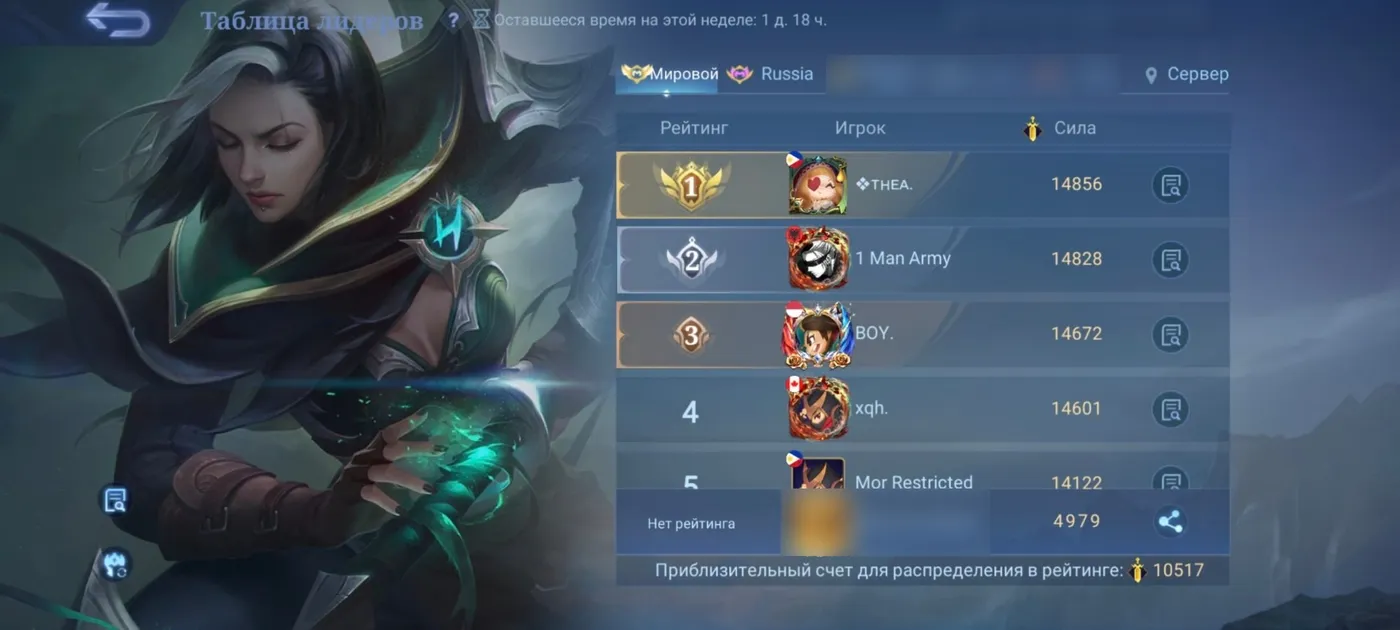
Once a week the game counts the results and gives titles to the best players of each hero in a district, a region and a country. The title shows on your profile and on the match loading screen; the highest one goes to the top ten in a country. The fewer people play your hero near you, the easier it is to get into the top. That is why players move their location to small cities.
How to change the location in the game
- Turn on location services and allow them for Mobile Legends.
- Open the leaderboard and pick the hero.
- Tap the location pin icon in the top right corner.
- The game opens a map and detects your position by GPS.
- Check the address in the Note window and tap OK.
- Play a match with this hero to get into the new district's leaderboard.
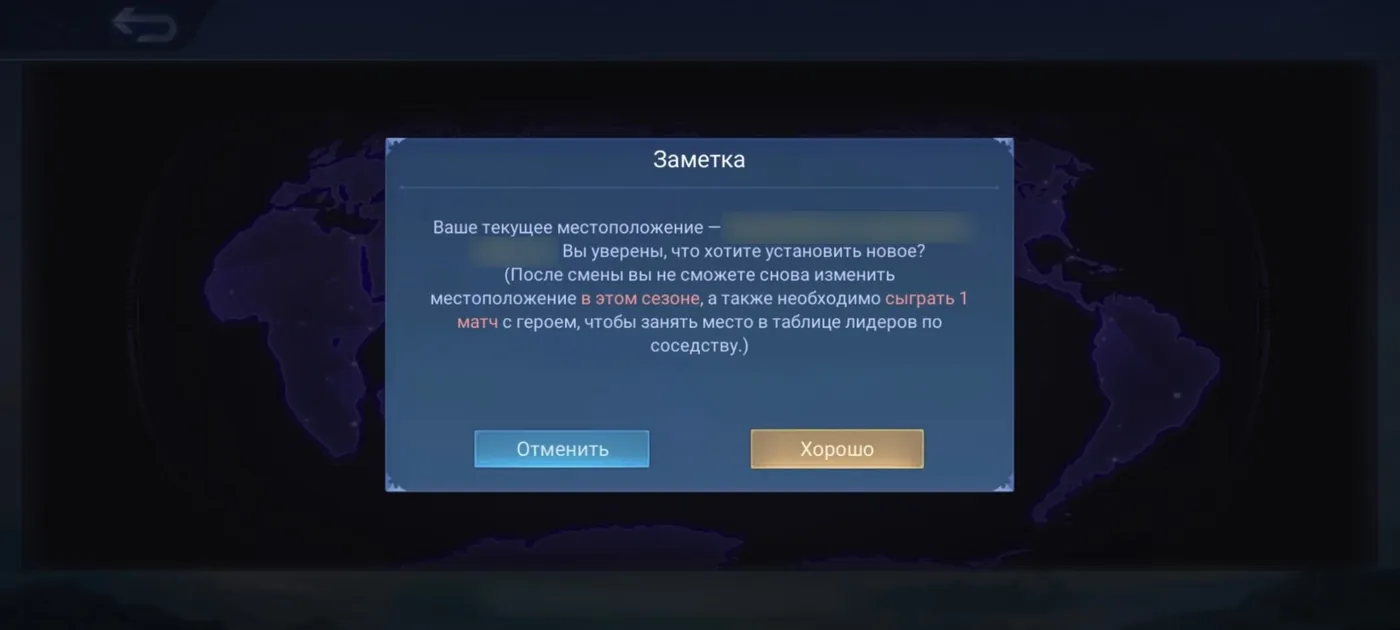
How to change the location on Android
The game reads coordinates from GPS, not from the IP address, so a VPN alone will not change the city. On Android you can set any point with a mock location app. That is how players move the pin to another city without leaving home.
- Install a mock location app from Google Play, for example Fake GPS Location.
- Turn on developer mode: Settings → About phone → tap Build number seven times. On Xiaomi it is OS version, on Samsung Software information → Build number.
- In Developer options, open Select mock location app and choose the app you installed.
- Open it, put the point in the city you want and start it.
- Close Mobile Legends completely by swiping it away from recent apps, then launch it again.
- Open the leaderboard, tap the location icon and wait for the new city on the map. Confirm with OK.
- Play a match with the hero and only then turn the mock location off.
What about iPhone?
The App Store has no apps that fake the location. Only computer programs work: you connect the iPhone with a cable and the program sets the coordinates. The free option is the virtual location feature in 3uTools; paid alternatives exist too. It is harder than on Android and carries the same risk. The honest way without programs is to change the location when you are actually in another city.
Where to put the pin
- Raise the hero's power first. Without it there is no top in any city, and you cannot change the location twice in one season.
- Watch the approximate score needed to be ranked: the lower it is, the fewer rivals.
- A small city or district is usually easier than a capital, but you still have to hold the title every week.
- Do not jump to another country: the highest title is per country, and another country may be stronger than yours.
The MLBB test server
There is also a separate test server, the Advanced Server: new heroes and changes appear there first. According to guides, you need an account of level 15 or higher and a stable connection, slots are few and recruitment is mostly in Asia. You apply in the account settings in the game or through a separate app on TapTap for Android. Progress there is separate, from level 1, and does not carry over to the regular server.
Competitive matches FACEIT for MLBB: where to play serious matches SKY, Lockin and MLBB Ladder: ELO, fixed roles and account checks by ID and server.Frequently asked questions
How do I find my server in Mobile Legends?
Tap your avatar in the top left corner of the main screen. Under your name there is the ID line, and the number in brackets is your server.
Can I change my server in MLBB?
Not for an existing account. The server is fixed at creation and MOONTON does not transfer accounts. Another server means a new account without your old progress.
How do I change the region on the leaderboard?
Leaderboard → the location icon in the top right → map → OK. The game takes the place from GPS, so for another city on Android you need a mock location app.
How often can I change the location?
Once per season. After the change, play a match with the hero to get into the new district's leaderboard.
Will a VPN change my leaderboard region?
No. The leaderboard looks at the phone's GPS, not at the IP address.
Why does the game not see my new location?
Check that the mock location is running and selected in developer mode, improved accuracy by Wi‑Fi is off and the game has been fully restarted.